
|
Getting your Trinity Audio player ready...
|
A small caps text generator converts your regular text into small capital Unicode letters that you can copy and paste anywhere. No font needed, no design software required. This guide explains what small caps are, how a small caps text generator works, and where you can use the output.
Our free Small Caps Generator converts any text instantly — just paste, pick a style, and copy.
What Are Small Caps?
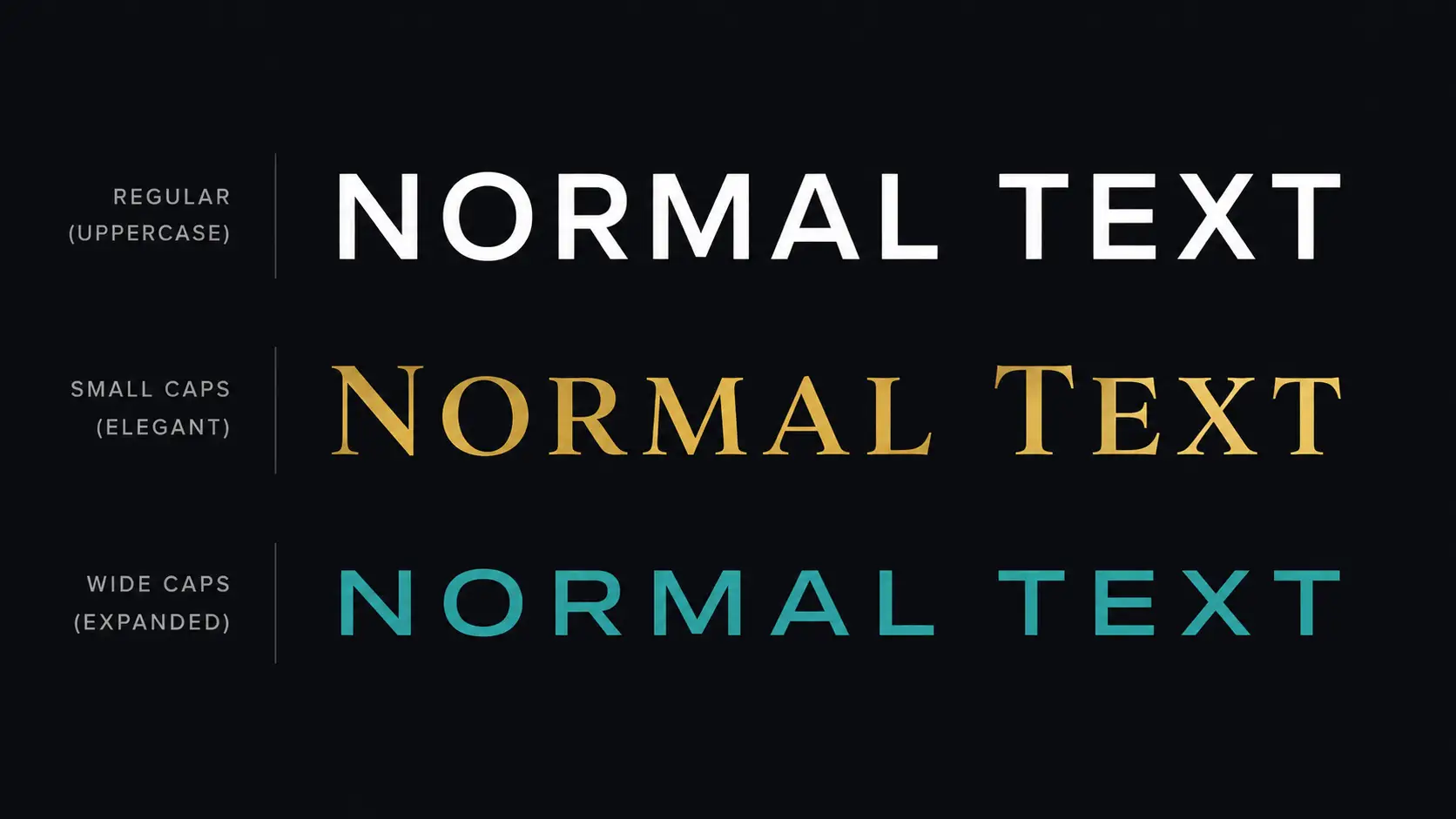
Small caps are capital letters that are shorter than regular uppercase letters — about the same height as lowercase letters. They look like ALL CAPS text, but more refined and balanced. In print design, small caps are a built-in feature of professional typefaces.
Online, a small caps text generator gives you the same visual result using Unicode small capital characters. Because they’re plain Unicode, the appearance sticks when you paste them into any platform — no font required.
How a Small Caps Text Generator Works
A small caps text generator maps each lowercase letter to its Unicode small capital equivalent. These characters come from the Unicode Phonetic Extensions block — originally created for linguistic notation, but now widely used for stylistic text online.
For example, the letter “a” maps to ᴀ, “b” maps to ʙ, “c” maps to ᴄ. The result looks like small caps but copies as plain text. You can read more about Unicode character blocks at unicode.org/charts.
Small Caps Text Generator Styles
Our Small Caps Generator gives you three different style outputs:
| Style | Look | Best For |
|---|---|---|
| Small Caps | Classic small capital letters | Bios, subheadings, professional text |
| Wide Caps | Fullwidth spaced capitals | Bold statements, titles |
| Mono Caps | Monospace-style capitals | Code aesthetic, tech look |
How to Use a Small Caps Text Generator Free
- Go to the Small Caps Generator.
- Type or paste your text into the input box.
- Choose a style: Small Caps, Wide Caps, or Mono Caps.
- Your converted text appears instantly.
- Click Copy and paste it anywhere.
No registration, no fees, no download required. Works on mobile and desktop.
Where to Use Small Caps Text
- Instagram bio — Small caps text adds a premium, editorial feel without looking loud.
- Discord username — Stand out with a stylized name that looks polished.
- Twitter / X bio — Small caps make your profile look distinct from everyone else.
- Design mockups — Drop small caps into Figma or Canva for a quick typographic effect without a special font.
- Subheadings — Small caps work well in article subheadings for a classic editorial style.
- Brand names — Many luxury brands use small caps in their logos for a refined, formal look.
Related Text Styling Tools
- Bold Text Generator — create bold Unicode text for any platform
- Small Text Generator — convert text to tiny subscript and superscript
- Upside Down Text Generator — flip text vertically with Unicode
- Uppercase to Lowercase Converter — change text case instantly
- Guide: Bold Text Copy Paste — Make Bold Text Without a Font Editor — Unicode bold text explained
- Guide: What Is Upside Down Text? (Full Guide) — how Unicode flipping creates upside-down text
Frequently Asked Questions
What does a small caps text generator do?
A small caps text generator replaces your lowercase letters with Unicode small capital characters. The result looks like elegant small caps text that you can copy and paste into any app or platform — no font or design software needed.
What is the difference between small caps and regular caps?
Regular caps are full-height uppercase letters. Small caps are capital letters reduced to approximately the height of lowercase letters — giving text a more balanced and elegant appearance without the visual weight of full uppercase.
Can I use small caps text on Instagram?
Yes. Small caps from a small caps text generator are Unicode characters that display correctly in Instagram bios, captions, and comments without any special settings or fonts.
Do small caps work on all platforms?
They work on most major platforms — Instagram, Twitter, Discord, WhatsApp, Facebook, and most websites. A small number of very old systems with limited Unicode support may show them as boxes, but this is uncommon.
Is small caps text the same as bold or italic?
No. Bold and italic are font styling properties. Small caps refer to the size and shape of the letters themselves. They are independent typographic properties — you can have text that is both bold and small caps at the same time.
Is the small caps text generator free?
Yes. Our Small Caps Generator is 100% free with no sign-up and no usage limits.
Try our free Small Caps Generator now — use our small caps text generator to convert any text to small capitals in one click.